Affiliate disclosure: some links in this article are affiliate links. If you sign up through them I may earn a commission at no extra cost to you. Prices below were checked in August 2026 — always confirm on the official pricing page, because they change.
Short answer: Starter gives you three sub-accounts. Unlimited and SaaS Pro give you unlimited sub-accounts. Creating one costs nothing extra on the subscription — but each one that sends messages carries its own usage, its own phone numbers and, in the US, its own A2P 10DLC registration. So ‘unlimited’ means unlimited in count, not unlimited in cost.
This article covers the limits, the real per-sub-account cost, how transfers work between agencies, and the offboarding process nobody documents until they need it urgently.
Sub-account limits by plan
| Plan | Price | Sub-accounts | Practical ceiling |
|---|---|---|---|
| Starter | $97/mo | 3 | Hard limit — a fourth client forces an upgrade |
| Unlimited | $297/mo | Unlimited | Bounded by your usage budget, not the plan |
| SaaS Pro | $497/mo | Unlimited | Same, plus automated client sign-up and rebilling |
The Starter limit is the most common upgrade trigger on the platform. It is covered in detail in the Starter sub-account limit article, including exactly what happens when you hit it.
What a sub-account actually is
A sub-account is a fully isolated workspace: its own contacts, pipelines, calendars, workflows, funnels and settings. Nothing crosses between them by default. Think of it as a separate instance of the software that you administer from a single agency dashboard.
The important distinction, and the one people get wrong when estimating: a sub-account is not the same as a user. One sub-account can have many users — a real estate team of eight agents usually needs one sub-account, not eight. You create a new sub-account per client or per distinct business, not per person.
See how sub-accounts work in practice
Create a few during the extended trial, see how the isolation works and how the agency dashboard handles them.
What each sub-account really costs
Zero on the subscription. Not zero in total. Here is what an active client sub-account adds each month:
| Cost | Typical monthly | Notes |
|---|---|---|
| Phone number | $1.15 | Usually one, sometimes more |
| A2P 10DLC campaign maintenance | $2 – $10 | US only, per sub-account that sends SMS |
| SMS usage | $15 – $150 | Entirely depends on campaign volume |
| Email usage | $3 – $30 | Cheap unless you send very large volumes |
| Voice minutes | $0 – $50 | Only if you use call tracking or a dialer |
| Realistic total per active client | $25 – $240 | Median lands around $60–$90 |
So ten clients on Unlimited is $297 plus roughly $600–$900 in usage. That is why the plan price alone is misleading, and why understanding the usage model matters more than the sub-account count. On SaaS Pro you can rebill all of it — see the rebilling guide.
Transferring a sub-account to another agency
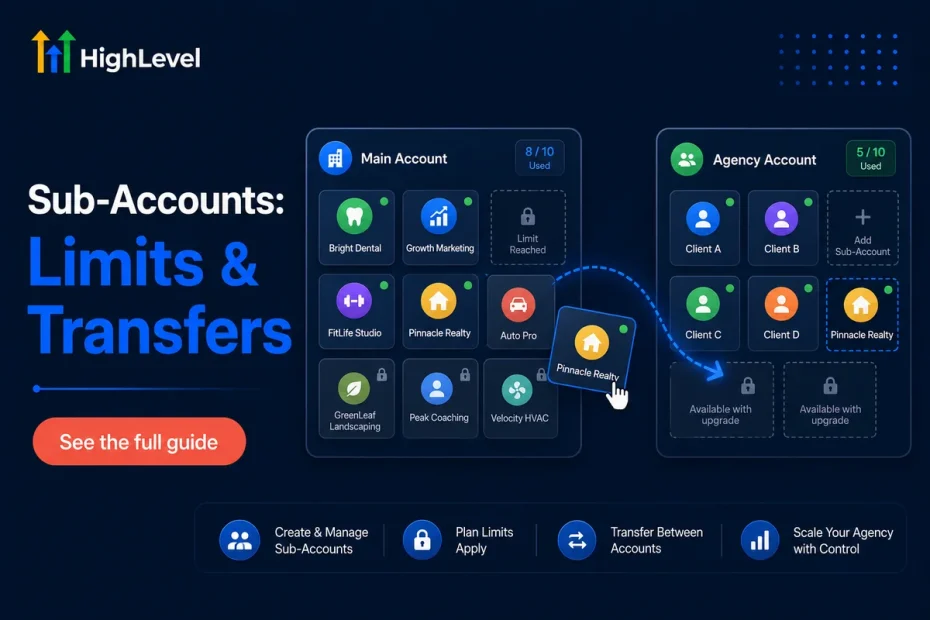
This is genuinely useful and poorly known: GoHighLevel lets you transfer an entire sub-account to a different agency account, with all its data intact. Contacts, workflows, funnels, calendars, conversation history — the whole thing moves.
When you would do it
- You are selling your agency, or part of your client book.
- A client wants to bring their marketing in-house and take their setup with them.
- You are handing a client to another agency as a referral or a partnership.
- You are consolidating multiple agency accounts into one.
How it works
- Both agencies need an active GoHighLevel account. The receiving agency must have capacity — if they are on Starter with three sub-accounts already, the transfer will not go through.
- From the agency dashboard, open the sub-account settings and choose the transfer option.
- You will need the receiving agency’s relationship number or account identifier.
- The receiving agency accepts the transfer from their own dashboard.
- Ownership moves. Billing for that sub-account’s usage moves with it.
What to check before you transfer
- Phone numbers. Confirm how numbers and their A2P registrations carry over — this is the part most likely to need re-verification on the other side.
- Integrations. Anything OAuth-connected — Google, Facebook, Stripe — typically needs reconnecting by the new owner.
- Custom domains. DNS records may need updating.
- Export a backup first. Always. Export contacts and opportunities to CSV before initiating any transfer, regardless of how reliable the process is.
Test the whole model risk-free
Create sub-accounts, build in them and see how the agency structure works before you have client data depending on it.
When a client leaves
Have this process written down before you need it, because you will need it while someone is annoyed.
- Export their data. Contacts, opportunities and conversation history to CSV. Do this first, always, and keep a copy.
- Decide the outcome: transfer the sub-account to them or to their new agency, or delete it.
- Release the phone number if you are not transferring it — otherwise you keep paying $1.15 a month indefinitely for a number nobody uses.
- Cancel the A2P campaign registration to stop the monthly maintenance fee. This is the one people forget, and it quietly accumulates.
- Disconnect integrations, particularly payment processors.
- Then delete or pause the sub-account.
Skipping steps three and four is how agencies end up paying $40 a month for six departed clients. It is not much individually; it is real over a year.
Deleting versus pausing
| Action | What happens | Use it when |
|---|---|---|
| Pause | Sub-account becomes inactive, data retained | Seasonal client, or one who may return |
| Delete | Sub-account and data removed | Clean break, and you have exported everything |
Structuring sub-accounts sensibly
Some practical conventions worth adopting early:
- One sub-account per client business, not per person and not per campaign.
- A multi-location client is a judgement call. One sub-account with location-based pipelines is usually cleaner than five sub-accounts, unless each location needs genuinely separate branding and billing.
- Keep a template sub-account. Build your standard setup once, save it as a snapshot, and deploy it to new clients in minutes rather than hours.
- Name them consistently. ‘Client Name — City’ beats ‘test2final’ when you have thirty of them.
- Keep your own agency marketing in its own sub-account, separate from client work.
Frequently asked questions
Does creating a sub-account cost anything immediately?
No. Creating it is free on Unlimited and SaaS Pro. Costs begin when it sends messages, buys a phone number or registers for A2P.
Is ‘unlimited’ genuinely unlimited?
In count, yes — there is no documented ceiling and agencies run hundreds. In practice your limit is your usage budget and your capacity to manage them.
Can a client access their own sub-account?
Yes, with user permissions you control. On SaaS Pro you can white-label it entirely so they never see GoHighLevel branding — see the SaaS Mode guide.
What happens to sub-accounts if I downgrade to Starter?
You cannot exceed three. Sort out which client accounts to transfer or delete before downgrading, not after.
Can I move a sub-account between my own agency accounts?
Yes — the same transfer process works between two accounts you own, which is how agencies consolidate.
The bottom line
Three on Starter, unlimited above it. The count is rarely the real constraint — usage cost is. Budget $60–$90 a month per active client sub-account and the picture becomes accurate.
If you are heading past three clients, Unlimited is the natural home. If you are reselling and want automated sign-up and rebilling, SaaS Pro earns its extra $200 — the comparison is in Unlimited vs SaaS Pro.
Try the agency structure yourself
Thirty days free to create sub-accounts, deploy a snapshot and see how the whole model fits your business.